
Amen Corner – My Photo in Print

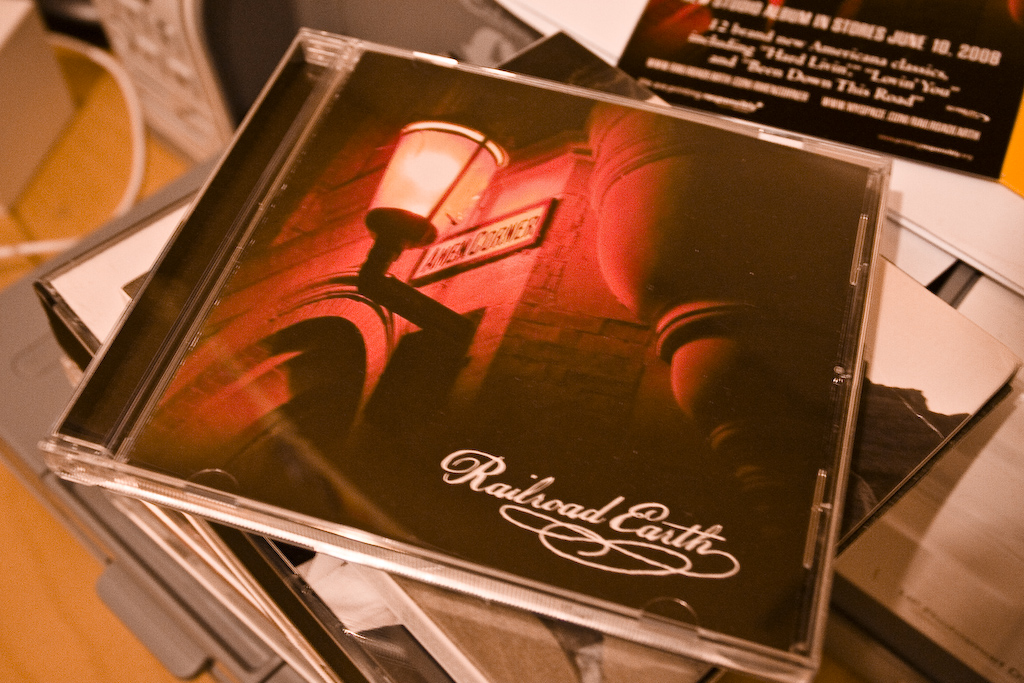
I’m pleased to announce that a photo I took a few years back was chosed to be the CD cover of american blue-grass band Railroad Earth (no, I hadn’t heard of them either). You can listen to most of the album on their web site if you want.

I’ve just received the pre-release CD and it’s great to see myself in print (and my name on the inside cover as well!)

Here’s a of shots of the finished work alongside the original:
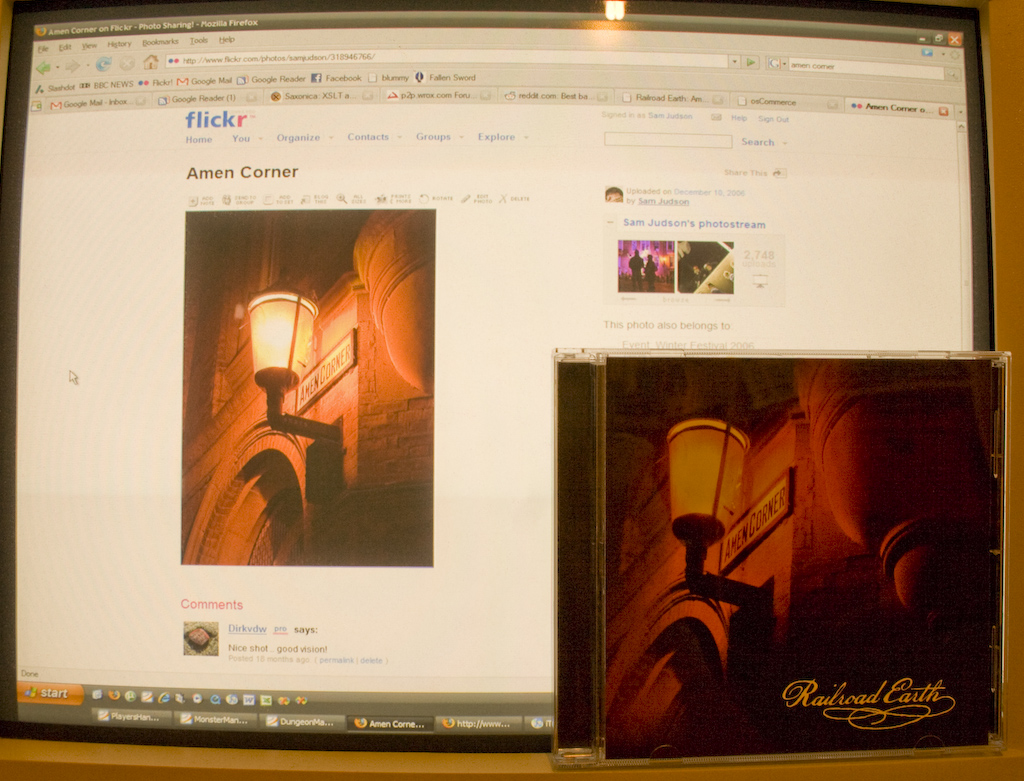
Update: On the origins of my photo – I took the photo in Dec 2006. We actually have a street (or maybe its just the corner) called Amen Corner – it runs behind St Nicholas Cathedral in Newcastle (England).

The photo was taken during a winter festival called the Glow Festival that was run by the council – various light based art installations throughout Newcastle and Gateshead. This particular lamp had had its bulb changed to a red light – hence the colours in the photo.

I believe one of the band members found the photo on Flickr (see above link tot he original page) and suggested it to the rest of the band – and the rest as they say is history :)
Virgin Media fixed my cable modem

I’d been having this strange problem with my Virgin Media (Telewest as was) broadband.

Basically, after about 5 minutes of trying to download files, the cable modem would ‘hang’ where the data light would stop flashing. The only way to get back to normal service was to unplug and reboot my cable modem.

I suffered this fault for a few weeks – the delay between reboot and crash seemed to vary between 5 minutes and a day (I suspect it was based on how much data had been downloaded, but I’m not sure). Then after two phone calls with Virgin Media tech support I eventually got it fixed, and I thought it might be useful to post the information here.

Disclaimer: If you follow any of the advice here and screw up your cable modem its not my fault! These instructions probably only apply to the WebStar cable modem I have as well.

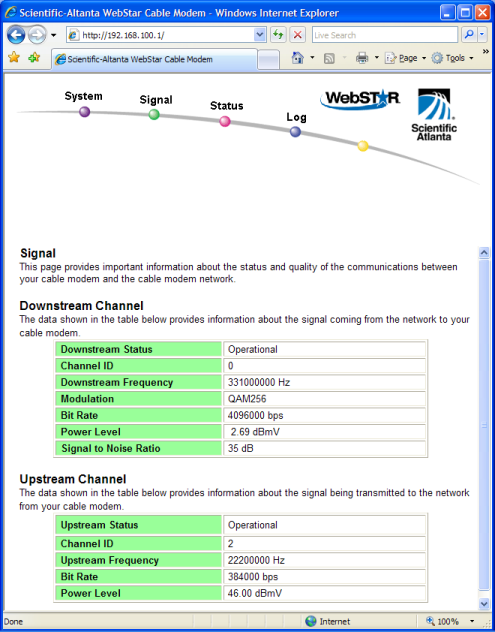
First off, you can view your cable modem status page by going to http://192.168.100.1 in your browser. The following diagram shows the signal screen.

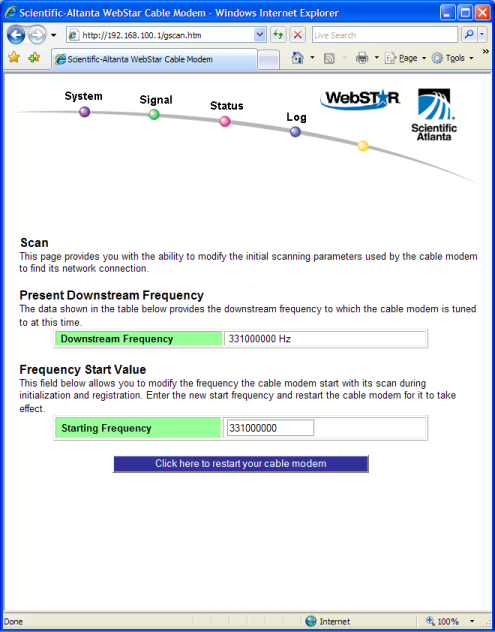
If you look carefully at the Downstream Frequency it reads 331000000Hz. Apparently either 331000000Hz or 339000000Hz are valid values, but mine was reading 3312500000Hz which isn’t a valid value, and hence was the cause (or symptom) of the problem.

So if your cable modem is having the same problem as this, and the status screen above doesn’t show a ‘correct’ value then this might be the cause of your problems.

Fixing the problem?

You can change this ‘starting frequency’ on the following screen: http://192.168.100.1/gscan.htm

Double Disclaimer: Don’t blame me if this all goes pear shaped.